Payments
Payments: Methods & Installment Plans
ClassGo supports multiple payment methods and records every transaction automatically.
Payment methods
| Method | How it works |
|---|---|
| Card (online) | Paid via Stripe — instant, auto-marked as paid |
| e-Transfer | Parent transfers, taps "I've paid"; teacher confirms |
| Cash | Paid in person; teacher marks it manually |
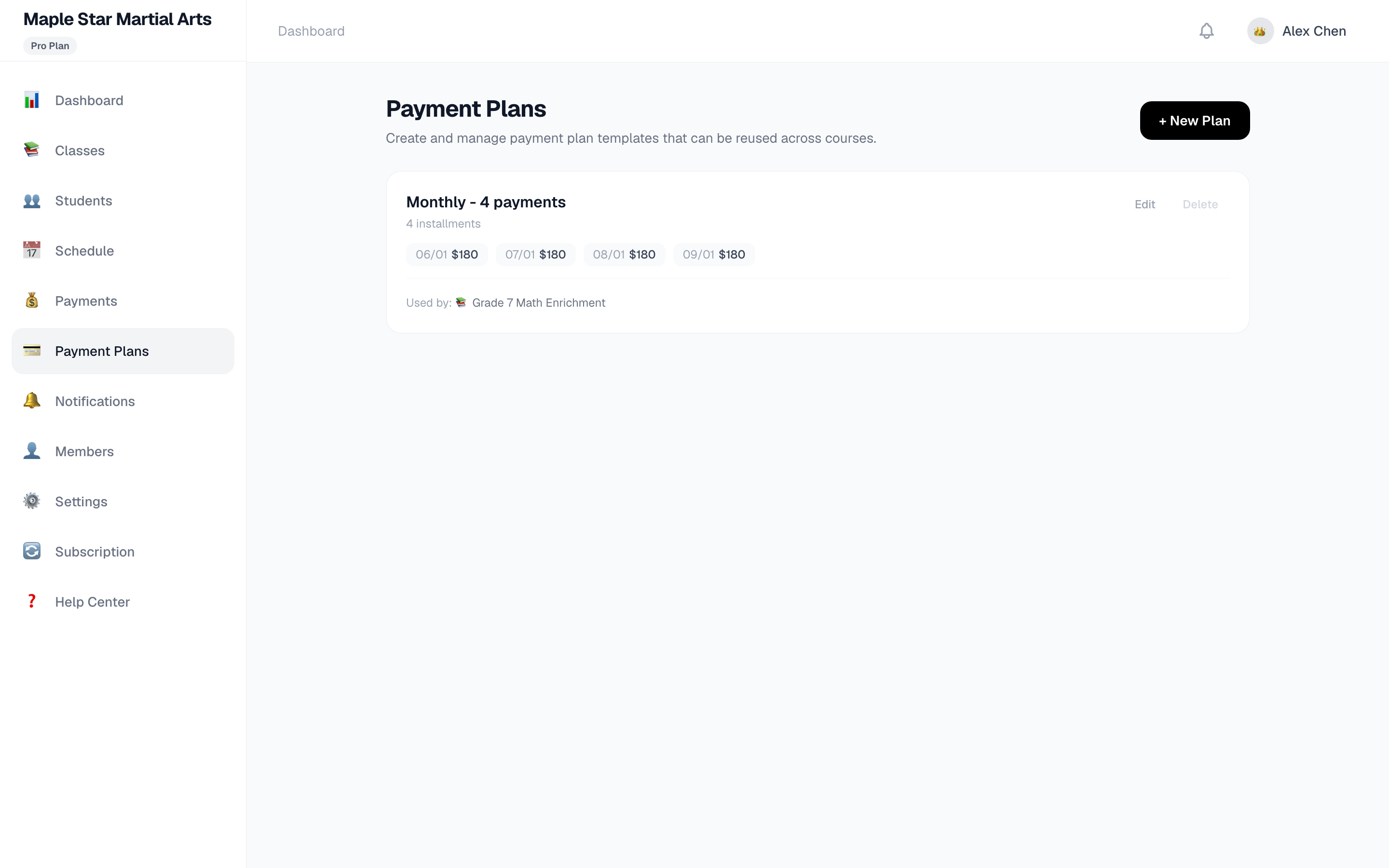
Creating installment plans
- Go to Payments → Installment Plans
- Pick a course, set the total amount and number of installments (e.g. 4)
- Due dates and amounts are generated automatically
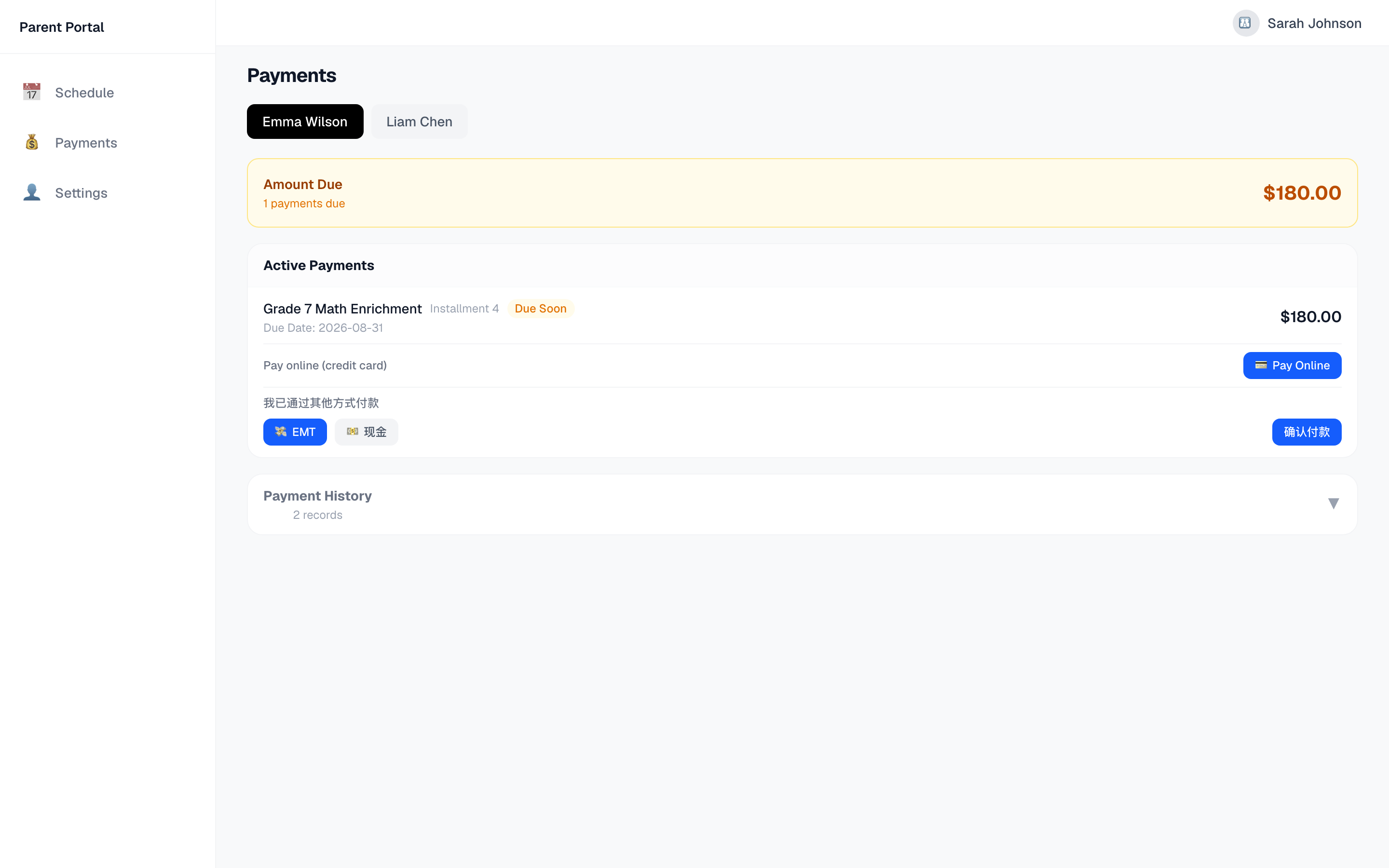
How parents pay
In the parent portal (mini program or web):
- Tap Pay Online → secure Stripe page → card payment done
- Or choose e-Transfer / cash → tap "I've paid" → teacher confirms
Payment status
- Pending: not paid yet
- Awaiting confirmation: parent marked e-Transfer/cash
- Paid: completed (auto for card, teacher-confirmed for offline)
- Cancelled: bill voided
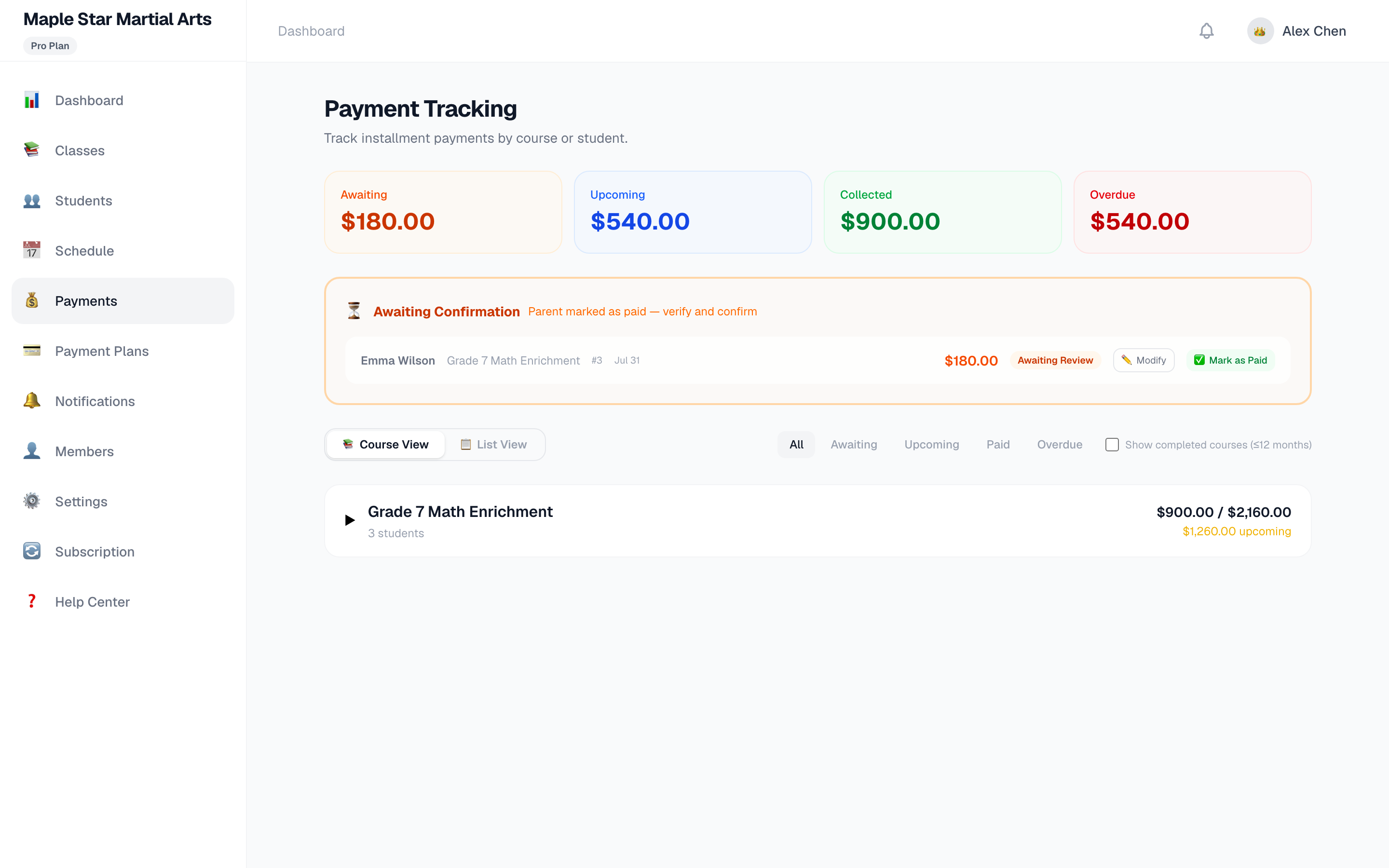
💡 All payments (including Stripe transaction IDs) are recorded for reconciliation.
Taxes
Course fees tax treatment is up to the studio. Platform subscription fees include HST/GST automatically based on the customer's province.