Subscription & Billing
Upgrading & Managing Your Subscription
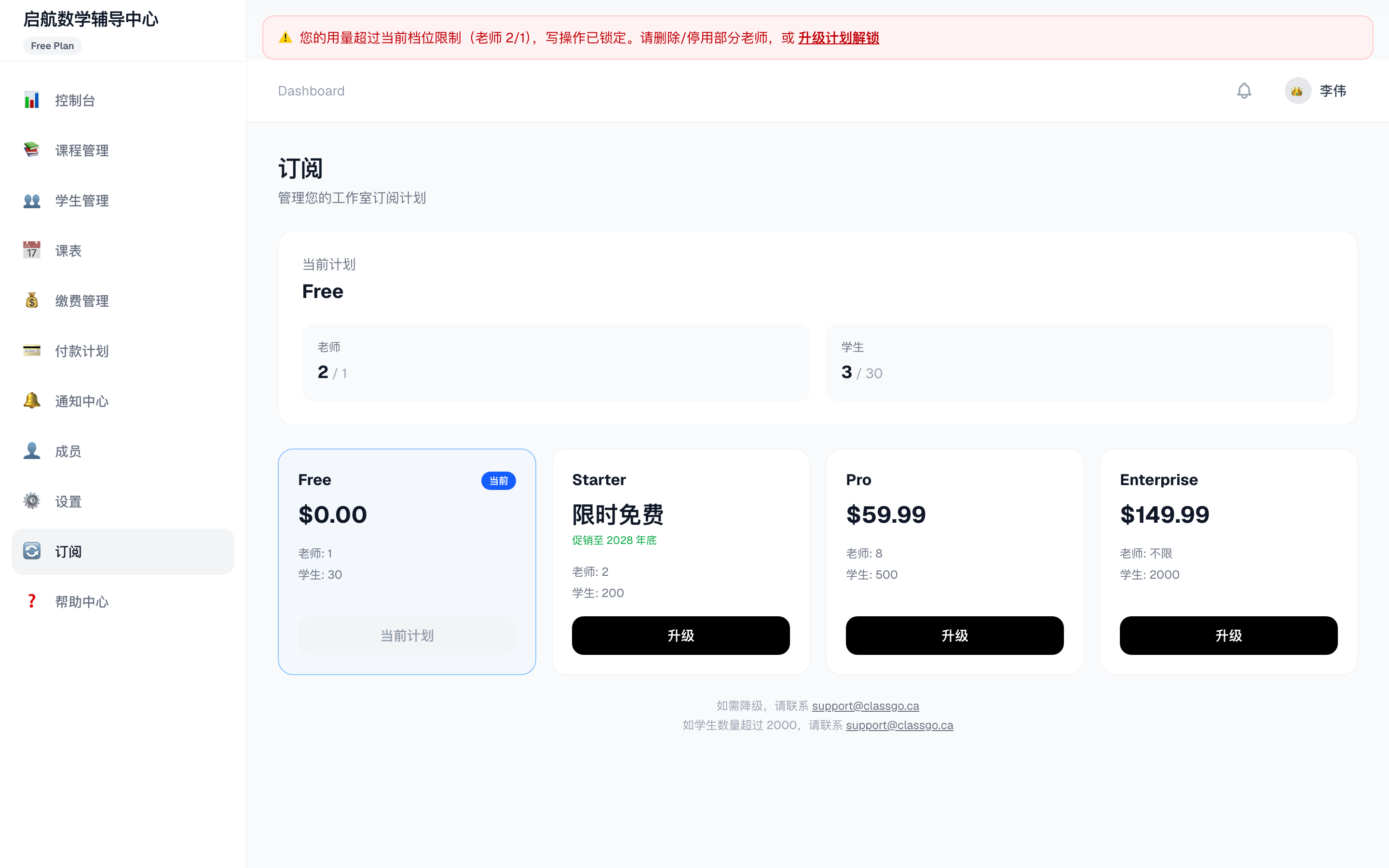
ClassGo offers Free, Starter, Pro and Enterprise plans.
Plan comparison
| Feature | Free | Starter | Pro | Enterprise |
|---|---|---|---|---|
| Teachers | 1 | 2 | 8 | Unlimited |
| Students | 30 | 200 | 500 | 2000 |
| Email notifications | – | 750/mo | 5000/mo | Unlimited |
| SMS notifications | – | – | 5000/mo | Unlimited |
| Mini program / App | – | ✓ | ✓ | ✓ |
| Price | Free | Free promo* | $59.99/mo | $149.99/mo |
*Starter promo: originally $29.99/mo, free until end of 2028, then billed at the regular price.
Upgrading
- Open Subscription in the sidebar
- Review your current plan and usage (teachers/students)
- Click Upgrade on the target plan
- Confirm → secure Stripe checkout
- The plan takes effect immediately; billing syncs automatically
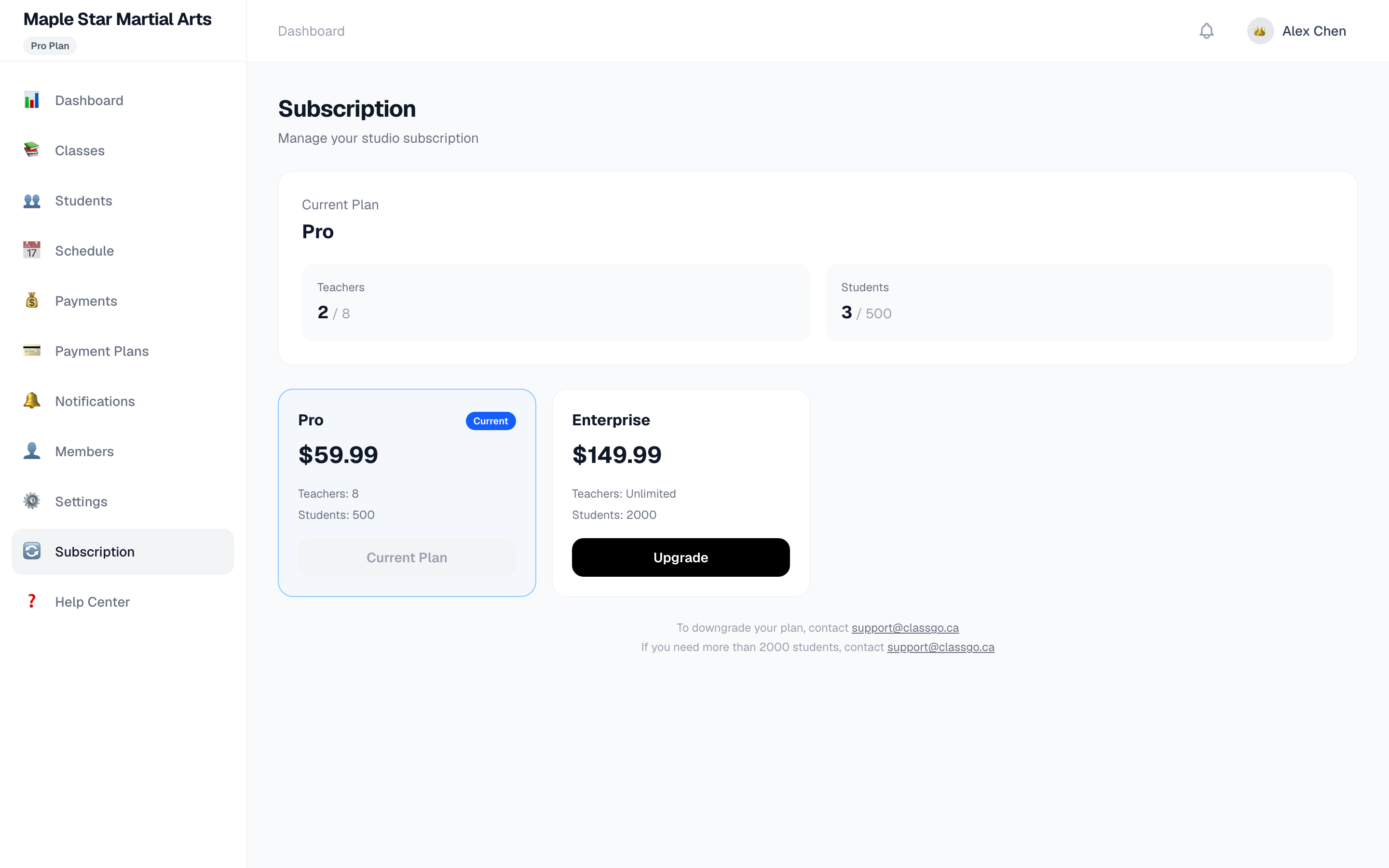
💡 Unused days are prorated on upgrade — no double billing.
Invoices & charges
- Subscriptions are auto-charged monthly to the card on file
- An invoice is generated each period — view/download in Manage Subscription (Stripe billing portal)
- Prices exclude tax; HST/GST is added at checkout based on your province
Cancelling
- Click Manage Subscription → Stripe billing portal
- Click Cancel subscription
- Your plan stays active until the period ends, then downgrades to Free
⚠️ No refund for the current period, but features remain fully available.
Downgrade & over-limit
- No self-service downgrade: contact support@classgo.ca
- Over limit: if teachers/students exceed the current plan's limits, write operations are locked. Delete/deactivate teachers or students, or upgrade, to unlock
- More than 2000 students: contact support@classgo.ca